Free HTML Email Templates: Browse & Download
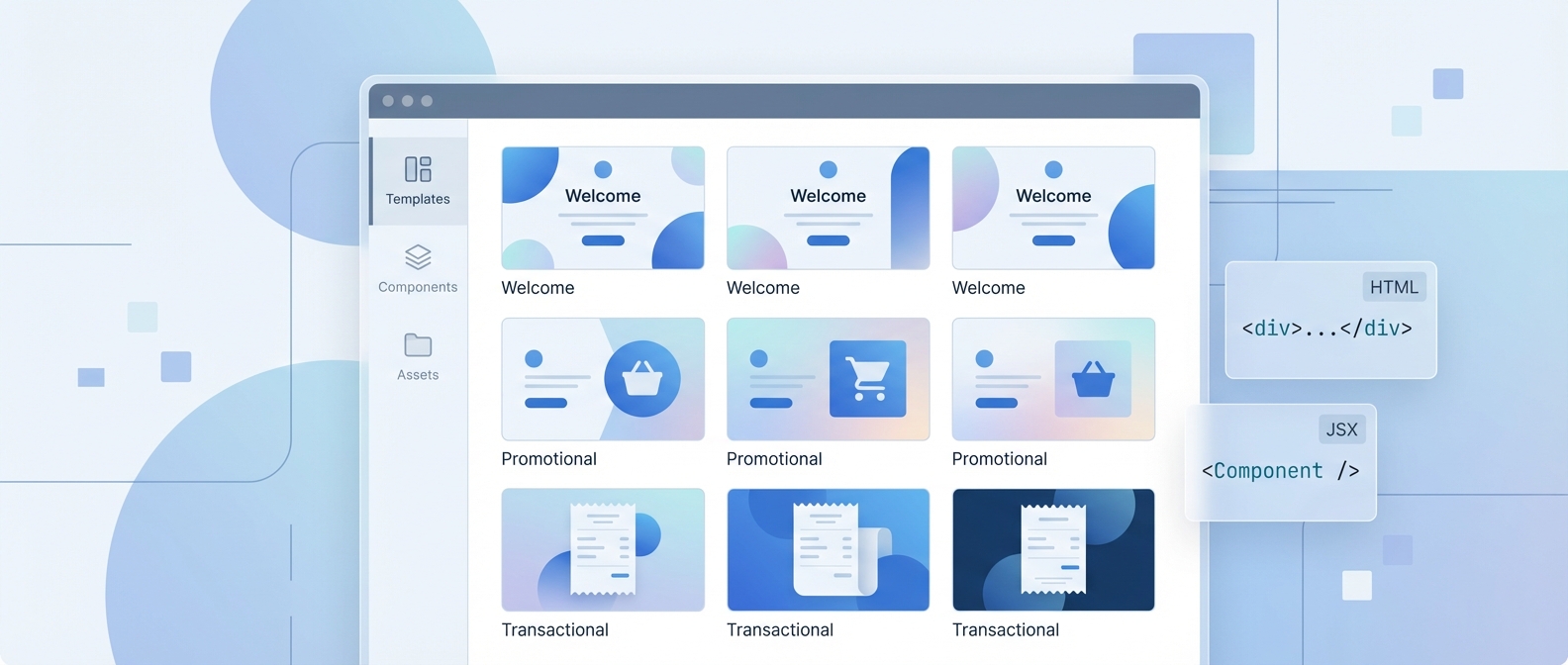
600+ free HTML email templates — copy the HTML or React/JSX code instantly. No sign-up required. Works with Gmail, Mailchimp, Klaviyo, and any ESP.
Posted by
 Cory Trimm
Related reading
Top Free Email Templates for Small Businesses: Boost Your Marketing with No Cost
Discover the best free email templates for small businesses. Learn how to customize and implement professional designs to boost your marketing without breaking the budget.
The Best Collaborative Tools for Designing Email Templates
Discover the best collaborative tools for designing email templates. Learn how teams can work together efficiently to create professional, on-brand emails.
Free Business Email Templates: Professional Designs Without the Cost
Discover which Email Bits templates are completely free, how to download and use them, and what you can achieve without spending a dollar on email design.
EmailBits offers 600+ free HTML email templates you can preview, copy, and use today — no account required. Every template includes both HTML and React/JSX code, so it works whether you're pasting into Mailchimp or dropping into a React app. Over 225 teams use EmailBits templates to ship professional emails faster.
Free Template Categories
The free library covers the most common email types a business needs. Here's what's available:
Welcome & Onboarding
First impressions matter. Welcome email templates are clean, friendly, and conversion-focused — designed to move a new signup toward their first action. Includes single-column layouts that render correctly in every inbox.
Promotions & Announcements
From new product launches to seasonal offers, these templates are built to stand out. Available in light and dark variants. The Pop Art Announcement template is particularly good for brands that want to break from the typical newsletter format.
Transactional Emails
Order confirmations, shipping updates, password resets — transactional emails have the highest open rates of any email type. The templates here prioritize clarity: one purpose, one action, nothing extraneous.
Newsletters & Digests
Multi-section layouts for weekly roundups, content digests, and company updates. These templates include clear typographic hierarchy so readers can scan quickly.
Re-engagement & Retention
Win-back emails and loyalty program templates for users who've gone quiet. These lean on a strong single CTA rather than cramming in multiple asks.
SaaS & Product Updates
Feature announcement and product update templates built for software companies — clean layouts with room for a screenshot or product illustration.
HTML and JSX — Both Included
Most free template libraries give you HTML. EmailBits gives you both HTML and React/JSX code for every template, which makes it the only free library that works equally well for email marketers and developers.
When to use the HTML version
The HTML tab is what you want if you're pasting a template into an ESP like Mailchimp, Klaviyo, HubSpot, Campaign Monitor, or Brevo. Copy the code, paste it into your ESP's HTML editor, and you're done. The HTML is table-based where it needs to be for Outlook compatibility, and uses inline styles throughout — standard practice for email client reliability.
When to use the JSX version
If you're sending email from a React or Next.js app — using libraries like React Email or MJML in a component pipeline — the JSX version saves you from manually converting HTML. The JSX code is component-based and ready to drop into an email rendering setup without conversion. This is particularly useful if your transactional emails are generated programmatically.
What Makes a Good Free HTML Email Template?
Not all free templates are worth using. Here are the criteria I used when building the EmailBits library — and what you should check before using any free template you find online:
Responsive by default
A template that looks great on desktop but breaks on mobile is worse than no template. All EmailBits templates use fluid layouts that reflow correctly at mobile widths. The single most common failure point in free templates is hardcoded pixel widths that don't collapse on small screens.
Outlook-compatible
Outlook is notoriously bad at rendering modern CSS. It still uses Word's rendering engine, which means flexbox, CSS Grid, and many modern layout techniques simply don't work. Good HTML email templates use table-based layouts with inline styles where Outlook requires it — without sacrificing visual quality in other clients.
No watermarks, no attribution requirement
Free should mean free. EmailBits templates have no watermarks, no "Powered by" footer text, and no attribution requirement. Use them in commercial projects without any modifications to satisfy a license.
Clean, editable code
Template code that's impossible to edit is only marginally better than starting from scratch. Look for consistent naming, comments where useful, and a logical structure — headers, sections, footers — that makes it obvious where to change what.
Single focused CTA
The best templates are built around one action. Multiple competing buttons guarantee that readers take none of them. If a template has four call-to-action buttons in a row, it's a red flag that the designer optimized for looks over conversion.
How to Use a Free HTML Email Template
Using an EmailBits template takes about three minutes from browsing to sending. Here's the process:
Step 1: Browse and preview
Go to emailbits.co/templates and browse the full library. No account needed. Click any template to see a full-size preview of how it renders.
Step 2: Copy the code
On the template detail page, switch between the HTML tab and the JSX tab. Click Copy to grab the full code. Free templates are always available — no sign-in required.
Step 3: Paste into your ESP or app
For Mailchimp, Klaviyo, HubSpot, or any other ESP: go to the email template or campaign editor, find the option to add a custom HTML template, and paste the code directly. Most ESPs let you preview the rendered result before sending.
For a React or Next.js app: drop the JSX code into your email component and adjust the props to pull in dynamic values.
Step 4: Customize
At minimum, update the copy, links, colors, and logo. For deeper customization — applying your brand automatically, or editing layout sections without touching code — you can use the EmailBits editor.
Common Mistakes When Using Free HTML Templates
Not testing in Outlook
Even well-built templates can break in specific Outlook versions if you make certain edits — particularly adding display:flex, changing table structures, or adding background images. Always send a test to an Outlook address before your campaign goes out.
Forgetting to update the plain-text version
Most ESPs automatically generate a plain-text version from your HTML, but the result is often garbled. Take 60 seconds to clean up the plain-text version before sending — some readers and spam filters check it.
Using images without alt text
Many email clients block images by default. If your email relies on images to convey key information — especially the CTA or headline — readers who have images turned off will see nothing useful. Every image should have descriptive alt text, and the email structure should still make sense without images.
Overriding the responsive styles
If you paste a template into a builder that adds its own wrappers or strips media queries, the responsive behavior can break. Double-check mobile rendering in your ESP's preview tool, not just in a browser.
Frequently Asked Questions
Are these email templates really free?
Yes. The 600+ templates in the free library are free to use in any project, commercial or personal. No watermarks, no attribution required, no sign-up needed to copy the code.
Do I need to create an account?
No account is needed to browse, preview, or copy code from free templates. An account is only required if you want to save templates to your dashboard, use the in-app editor, or access premium templates.
Can I use these templates with Mailchimp, Klaviyo, or HubSpot?
Yes. Copy the HTML code and paste it into your ESP's custom HTML editor. This works with Mailchimp, Klaviyo, HubSpot, Brevo, Campaign Monitor, ActiveCampaign, and any other platform that accepts HTML email code.
Is there a React/JSX version of the templates?
Yes — every EmailBits template has both an HTML tab and a JSX tab. The JSX version is component-based and compatible with React Email and similar libraries. This is unusual for a free template library; most only offer HTML.
How do I download the templates?
There's no zip file to download — you copy the code directly from the template page. This means you always get the latest version of the template, not a stale local file. Copy HTML or JSX, paste where you need it.
Are the templates responsive on mobile?
Yes. All EmailBits templates use fluid layouts and media queries so they reflow correctly on mobile screens. They've been tested across Gmail, Outlook, and Apple Mail on both desktop and mobile.
What if I need a template that's not in the free library?
Two options: upgrade to access 450+ premium templates across more industries and use cases, or use the AI generator to describe what you need and get a custom template generated in under two minutes.
Browse the full free template library at emailbits.co/templates. No sign-up required.
