Email Components: Build Better Emails Faster
What email components are, why modular email design saves time, and how the EmailBits free component library works. With real examples of reusable email sections.
Posted by
 Cory Trimm
Related reading
Welcome Email Templates: Examples & Best Practices
Free welcome email templates for SaaS, e-commerce, and newsletters. Plus best practices for subject lines, timing, and what every welcome email needs to include.
E-commerce Email Templates: Free Examples for Every Flow
Free HTML email templates for e-commerce — cart abandonment, order confirmations, shipping updates, win-back campaigns, and promotional emails. Copy-paste ready.
Email Marketing for Beginners: The Complete Guide (2026)
Everything you need to start email marketing — list building, choosing an ESP, writing emails that get opened, automation basics, and free templates to get started fast.
Most email builders treat templates as monolithic units — you pick a template, edit the copy, and send. That works until you need something the template doesn't quite cover, or until you're building your tenth variation of the same layout and copying sections manually between files.
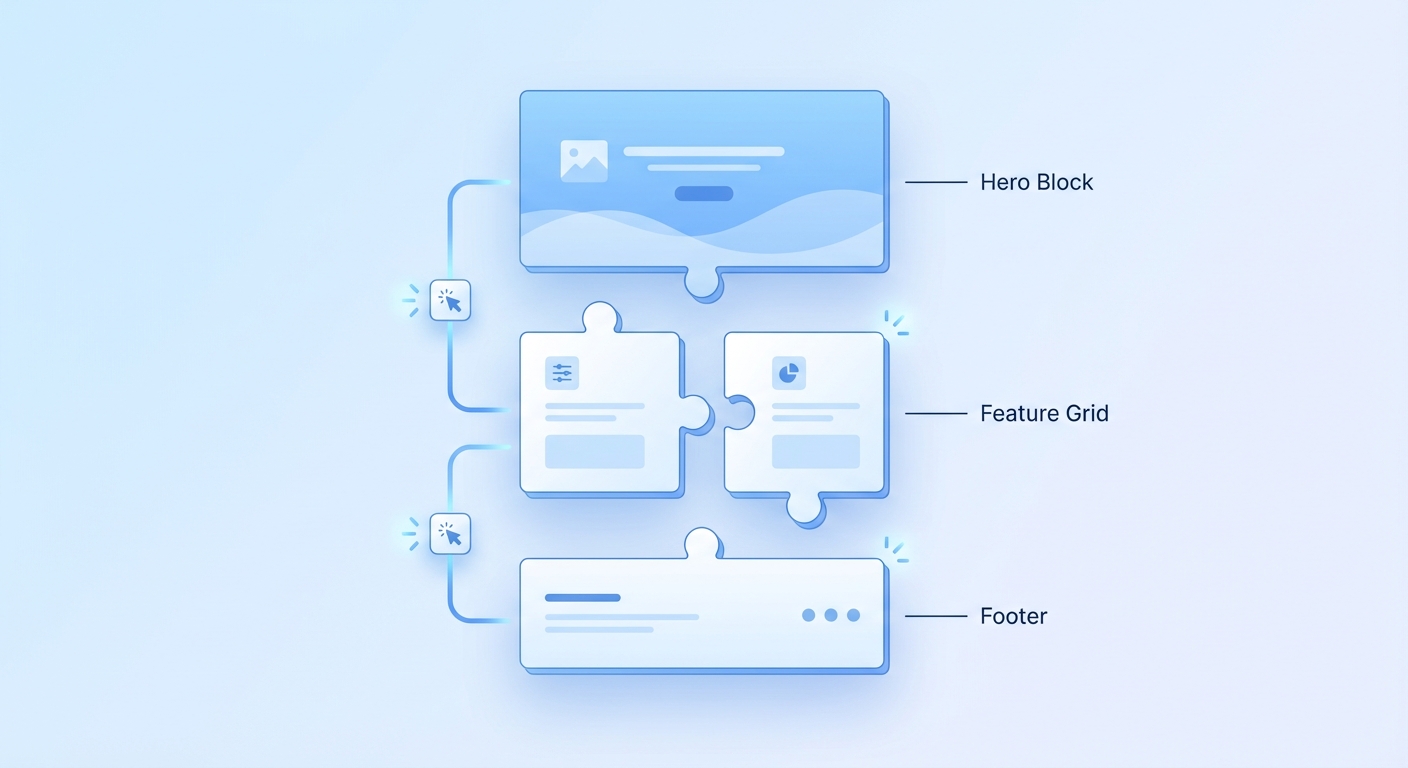
Email components are a different approach: instead of starting from a full template every time, you work with a library of reusable sections — hero blocks, feature grids, pricing tables, CTAs, footers — and assemble them into whatever layout you need. It's the difference between building from scratch and building from parts.
What Are Email Components?
An email component is a self-contained section of an email — a block of HTML (or JSX) that handles one specific piece of the layout. Common components include:
- Hero sections — headline, subtext, and a CTA button. Often the first thing a reader sees above the fold.
- Feature grids — two or three columns highlighting product features, each with an icon or image, a heading, and a short description.
- Pricing tables — one or more plan tiers with feature lists and a CTA button per plan.
- Image + text blocks — a side-by-side layout with an image on one side and copy on the other. Common in product announcement emails.
- Testimonial blocks — a quote, the reviewer's name and title, and optionally a photo or company logo.
- Social proof sections — logo grids, star ratings, or metric callouts ("Trusted by 10,000+ users").
- Footers — unsubscribe link, company address, social icons. Required for CAN-SPAM compliance.
Each component is designed to work standalone, so you can drop any of them into any email layout without the styling breaking.
Why Modular Email Design Saves Time
The case for components over monolithic templates comes down to three things: reuse, consistency, and speed.
Reuse
A well-built footer component, written once, can be used in every email you send. Same for your standard hero block, your feature grid layout, your CTA section. Every time you need one of those sections, you copy from the component library rather than rebuilding from scratch or hunting through old email files.
Consistency
When the same component is the source of truth for a section across all your emails, changes propagate cleanly. Update the footer component and every email that uses it is up to date the next time you copy it. Build footers ad hoc in each email and you'll inevitably end up with ten slightly different versions, some with outdated links.
Speed
Assembling an email from five tested components is faster than designing a full template from a blank file. The individual pieces are already compatible with each other (same spacing, same font system, same inline style approach), so composition is mostly copy-paste rather than debugging layout conflicts.
Components vs. Templates: When to Use Which
Templates and components serve different starting points:
- Use a template when the email type you need is common and a polished full-email design already matches your use case — welcome email, newsletter, promotional announcement. Templates are faster when the structure is already right.
- Use components when you need a custom layout that doesn't map to an existing template, when you're assembling an email with an unusual section order, or when you want to mix sections from different template styles into a single email.
- Use both — start from a template, swap out sections with components where the template's default layout doesn't fit. This is the most common workflow.
The EmailBits Component Library
EmailBits has a free component library alongside its template library. The components are available to free accounts — no subscription required — and each component includes both an HTML tab and a JSX tab, matching the format of the full templates.
Components in the library cover the full range of common email sections: hero blocks, feature grids, image-text pairs, pricing tables, testimonials, social proof sections, dividers, and footers. Each one is built with the same inline-CSS, table-based layout approach as the full templates, so they render correctly across Gmail, Outlook, and Apple Mail.
HTML and JSX for every component
Every component has an HTML tab for paste-into-ESP workflows and a JSX tab for React Email / Next.js setups. The JSX components are written as proper React Email component structure — not HTML converted to JSX syntax — so they compose cleanly with other React Email components.
Combining components with templates
The typical workflow: start from a full template for the overall structure, then replace specific sections with components from the library where you need different content. For example, start from a promotional template, but swap in a pricing table component and a testimonial block where the template had generic feature callouts.
Building Consistent Emails with Custom Tokens
Once you're working with a component library, consistency across components matters. If your brand color is #1A56DB and it appears in your hero button, your footer link color, and your feature grid icons — you want all three to update together when you rebrand.
EmailBits Custom Tokens (Pro) let you define variables like your brand color, logo URL, and company name once. When you open any template or component, your token values are substituted in automatically before you copy the code. Change the token and every component you copy going forward reflects the update.
This pairs with the Brand Kit feature, which auto-detects your brand colors and logo from your website URL and pre-fills your tokens — useful if you're setting up components for the first time and don't want to manually specify every value.
Email Components in Code: JSX vs. HTML Modules
For developers building transactional emails in React Email or a Node.js setup, components have a natural code-level equivalent: React components.
The JSX output from EmailBits components is structured as self-contained React Email components. You can import them into a parent email component, pass props for variable content, and compose a full email from typed, testable pieces:
- A
Herocomponent that acceptsheadline,subtext, andctaLabelprops. - A
FeatureGridcomponent that accepts an array of feature objects. - A
Footercomponent that acceptsunsubscribeUrlandcompanyAddress.
This approach means your email system stays maintainable as it grows — adding a new email type is a matter of composing existing components with new props, not writing new HTML from scratch.
Frequently Asked Questions
Are EmailBits components free?
Yes. The EmailBits component library is available on the free account — no subscription required. You can browse, preview, and copy component HTML and JSX without signing up. Pro features (Brand Kit, Custom Tokens, AI generation) apply to components the same way they do to full templates.
Do email components work in Outlook?
EmailBits components use the same table-based, inline-CSS approach as the full templates. They're designed to render correctly across Gmail, Outlook 2016–365, and Apple Mail. Avoid combining components with custom CSS that uses Flexbox or Grid — those properties are not supported in Outlook.
Can I mix components from different styles?
Yes, but be mindful of visual consistency. Components from the same design family will share spacing, type scale, and color approach. Mixing components from different families may produce inconsistent spacing or font sizing — check the rendered output and adjust inline styles as needed.
How do components differ from templates?
Templates are complete email layouts — hero, body, CTA, footer — ready to send with copy swapped in. Components are individual sections meant to be combined. EmailBits has both: 1,000+ full templates (600+ free) and a separate component library for building custom layouts section by section.
